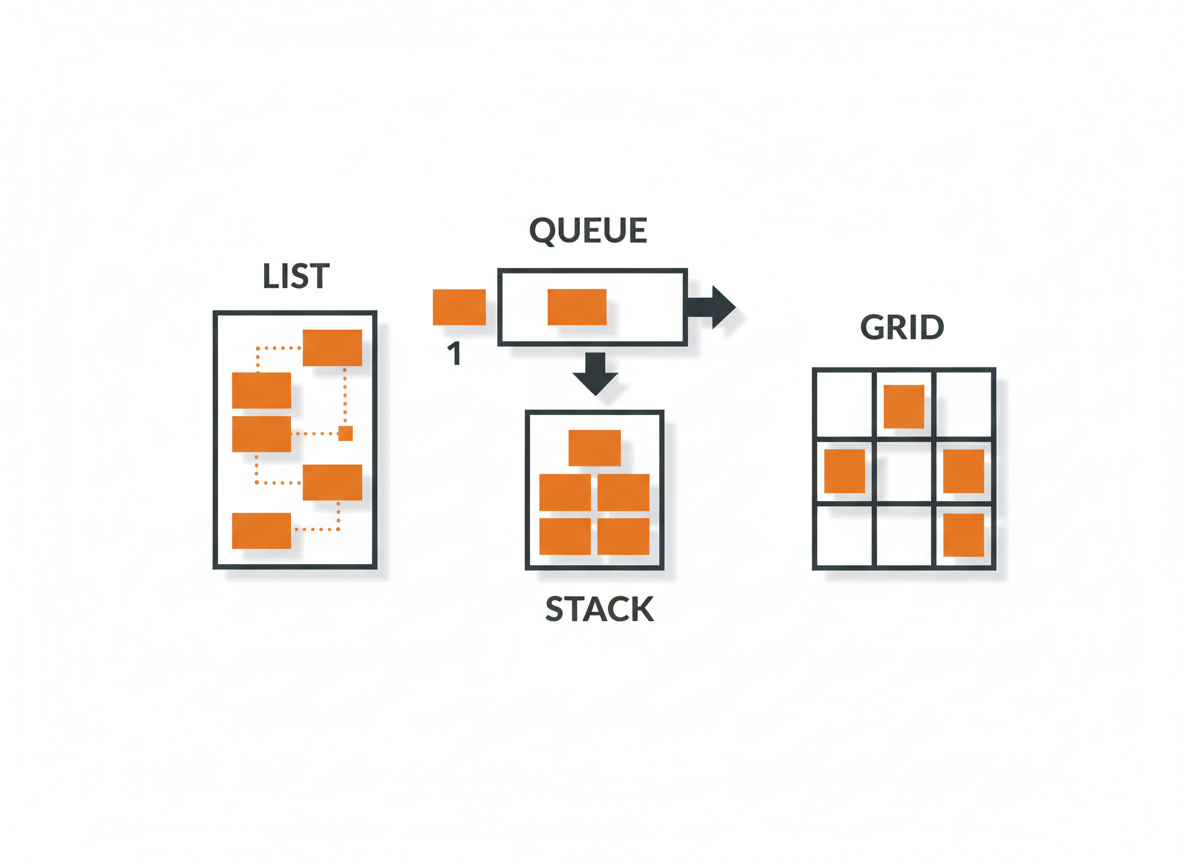
You’ve used ArrayList to store collections of objects. But ArrayList is just one option. The Collections Framework provides many data structures, each optimized for different tasks. Choosing the right one can make your code faster and cleaner.
The Collections Hierarchy
The framework is built on interfaces that define behavior:
Collection
├── List (ordered, allows duplicates)
│   ├── ArrayList
│   ├── LinkedList
│   └── Vector
├── Set (no duplicates)
│   ├── HashSet
│   ├── LinkedHashSet
│   └── TreeSet
└── Queue (FIFO ordering)
    ├── LinkedList
    ├── PriorityQueue
    └── ArrayDeque

Map (key-value pairs, separate hierarchy)
├── HashMap
├── LinkedHashMap
├── TreeMap
└── Hashtable
Map doesn’t extend Collection because it stores pairs, not single elements. But it’s considered part of the framework.
List: Ordered Collections
Lists maintain insertion order and allow duplicates. Access elements by index.
ArrayList
Fast random access, slow insertions in the middle. Best for read-heavy operations.
List<String> list = new ArrayList<>();
list.add("Apple");
list.add("Banana");
list.add("Apple");  // Duplicates allowed

System.out.println(list.get(0));  // Apple - fast
System.out.println(list);  // [Apple, Banana, Apple]
LinkedList
Fast insertions and deletions, slower random access. Also implements Queue and Deque.
List<String> list = new LinkedList<>();
list.add("A");
list.add("B");
list.add(1, "X");  // Insert at index 1 - fast

System.out.println(list);  // [A, X, B]
Use ArrayList by default. Use LinkedList when you frequently add or remove elements from the middle.
Set: Unique Elements
Sets don’t allow duplicates. Attempting to add an existing element has no effect.
HashSet
Fastest set operations. No guaranteed order.
Set<String> set = new HashSet<>();
set.add("Apple");
set.add("Banana");
set.add("Apple");  // Ignored - already exists

System.out.println(set.size());  // 2
System.out.println(set.contains("Banana"));  // true
System.out.println(set);  // Order not guaranteed
LinkedHashSet
Maintains insertion order. Slightly slower than HashSet.
Set<String> set = new LinkedHashSet<>();
set.add("Banana");
set.add("Apple");
set.add("Cherry");

System.out.println(set);  // [Banana, Apple, Cherry] - insertion order
TreeSet
Keeps elements sorted. Uses a tree structure.
Set<String> set = new TreeSet<>();
set.add("Banana");
set.add("Apple");
set.add("Cherry");

System.out.println(set);  // [Apple, Banana, Cherry] - sorted
TreeSet requires elements to be Comparable or you must provide a Comparator.
Map: Key-Value Pairs
Maps store associations between keys and values. Each key maps to one value.
HashMap
Fast lookups by key. No guaranteed order.
Map<String, Integer> ages = new HashMap<>();
ages.put("Alice", 25);
ages.put("Bob", 30);
ages.put("Charlie", 35);

System.out.println(ages.get("Bob"));  // 30
System.out.println(ages.containsKey("Alice"));  // true
System.out.println(ages.containsValue(35));  // true

// Overwrite existing key
ages.put("Alice", 26);
System.out.println(ages.get("Alice"));  // 26
LinkedHashMap
Maintains insertion order.
Map<String, Integer> scores = new LinkedHashMap<>();
scores.put("Round 1", 100);
scores.put("Round 2", 85);
scores.put("Round 3", 92);

// Iteration follows insertion order
for (String key : scores.keySet()) {
    System.out.println(key + ": " + scores.get(key));
}
TreeMap
Keeps keys sorted.
Map<String, String> capitals = new TreeMap<>();
capitals.put("USA", "Washington D.C.");
capitals.put("France", "Paris");
capitals.put("Japan", "Tokyo");

// Keys in alphabetical order
for (String country : capitals.keySet()) {
    System.out.println(country + ": " + capitals.get(country));
}
// France: Paris
// Japan: Tokyo
// USA: Washington D.C.
Queue: First-In-First-Out
Queues process elements in order. Add to the back, remove from the front.
Queue<String> queue = new LinkedList<>();
queue.add("First");
queue.add("Second");
queue.add("Third");

System.out.println(queue.peek());   // First (view without removing)
System.out.println(queue.poll());   // First (remove and return)
System.out.println(queue.poll());   // Second
System.out.println(queue);          // [Third]
PriorityQueue
Elements are ordered by priority, not insertion order.
Queue<Integer> pq = new PriorityQueue<>();
pq.add(5);
pq.add(1);
pq.add(3);

System.out.println(pq.poll());  // 1 (smallest first)
System.out.println(pq.poll());  // 3
System.out.println(pq.poll());  // 5
Deque: Double-Ended Queue
Deque (pronounced “deck”) allows adding and removing from both ends.
Deque<String> deque = new ArrayDeque<>();
deque.addFirst("A");
deque.addLast("B");
deque.addFirst("C");

System.out.println(deque);  // [C, A, B]
System.out.println(deque.removeFirst());  // C
System.out.println(deque.removeLast());   // B
ArrayDeque is also efficient as a stack (LIFO):
Deque<String> stack = new ArrayDeque<>();
stack.push("Bottom");
stack.push("Middle");
stack.push("Top");

System.out.println(stack.pop());  // Top
System.out.println(stack.pop());  // Middle
Iterating Collections
Several ways to loop through collections:
List<String> list = Arrays.asList("A", "B", "C");

// Enhanced for loop
for (String item : list) {
    System.out.println(item);
}

// forEach with lambda
list.forEach(item -> System.out.println(item));

// Iterator
Iterator<String> it = list.iterator();
while (it.hasNext()) {
    System.out.println(it.next());
}
For maps, iterate over keys, values, or entries:
Map<String, Integer> map = new HashMap<>();
map.put("A", 1);
map.put("B", 2);

// Keys
for (String key : map.keySet()) {
    System.out.println(key);
}

// Values
for (Integer value : map.values()) {
    System.out.println(value);
}

// Entries (key-value pairs)
for (Map.Entry<String, Integer> entry : map.entrySet()) {
    System.out.println(entry.getKey() + ": " + entry.getValue());
}
Common Operations
The Collections utility class provides helpful methods:
import java.util.Collections;

List<Integer> numbers = new ArrayList<>(Arrays.asList(3, 1, 4, 1, 5, 9));

Collections.sort(numbers);           // [1, 1, 3, 4, 5, 9]
Collections.reverse(numbers);        // [9, 5, 4, 3, 1, 1]
Collections.shuffle(numbers);        // Random order
int max = Collections.max(numbers);  // 9
int min = Collections.min(numbers);  // 1
int freq = Collections.frequency(numbers, 1);  // 2
Choosing the Right Collection
Need ordered elements with duplicates? Use List (ArrayList for most cases).
Need unique elements? Use Set (HashSet for speed, TreeSet for sorting).
Need key-value lookups? Use Map (HashMap for speed, TreeMap for sorted keys).
Need FIFO processing? Use Queue (LinkedList or ArrayDeque).
Need LIFO (stack)? Use Deque as a stack (ArrayDeque).
Practical Example: Word Frequency Counter
import java.util.*;

public class WordCounter {
    public static void main(String[] args) {
        String text = "the quick brown fox jumps over the lazy dog the fox is quick";

        // Split into words
        String[] words = text.toLowerCase().split("\\s+");

        // Count frequencies using HashMap
        Map<String, Integer> frequency = new HashMap<>();
        for (String word : words) {
            frequency.put(word, frequency.getOrDefault(word, 0) + 1);
        }

        System.out.println("Word frequencies:");
        for (Map.Entry<String, Integer> entry : frequency.entrySet()) {
            System.out.println(entry.getKey() + ": " + entry.getValue());
        }

        // Find unique words using Set
        Set<String> uniqueWords = new HashSet<>(Arrays.asList(words));
        System.out.println("\nUnique words: " + uniqueWords.size());

        // Sort by frequency
        List<Map.Entry<String, Integer>> sorted = new ArrayList<>(frequency.entrySet());
        sorted.sort((a, b) -> b.getValue() - a.getValue());

        System.out.println("\nTop words:");
        for (int i = 0; i < Math.min(5, sorted.size()); i++) {
            Map.Entry<String, Integer> entry = sorted.get(i);
            System.out.println(entry.getKey() + ": " + entry.getValue());
        }
    }
}
Output:
Word frequencies:
the: 3
quick: 2
brown: 1
fox: 2
jumps: 1
over: 1
lazy: 1
dog: 1
is: 1

Unique words: 9

Top words:
the: 3
quick: 2
fox: 2
brown: 1
jumps: 1
Performance Comparison
| Operation | ArrayList | LinkedList | HashSet | TreeSet |
| Access by index | O(1) | O(n) | N/A | N/A |
| Add/remove at end | O(1) | O(1) | O(1) | O(log n) |
| Add/remove in middle | O(n) | O(1)* | N/A | N/A |
| Search (contains) | O(n) | O(n) | O(1) | O(log n) |
*LinkedList insertion is O(1) only if you already have a reference to the position.
Common Mistakes
Modifying during iteration. Don’t add or remove elements while iterating with a for-each loop. Use Iterator.remove() or iterate over a copy.
Using wrong equals/hashCode. HashSet and HashMap rely on equals() and hashCode(). Custom objects need both methods implemented correctly.
Choosing based on familiarity. Don’t use ArrayList for everything. Pick the collection that matches your access patterns.
Ignoring null behavior. TreeSet and TreeMap don’t allow null keys. HashMap allows one null key.
What’s Next
Collections store objects of specific types thanks to generics. The final tutorial in this series explains how generics work and how to create your own generic classes and methods.
Related: Reading and Writing Files in Java | Introduction to Java Generics
Sources
- Oracle. “Collections.” The Java Tutorials. docs.oracle.com
- Oracle. “The Map Interface.” The Java Tutorials. docs.oracle.com