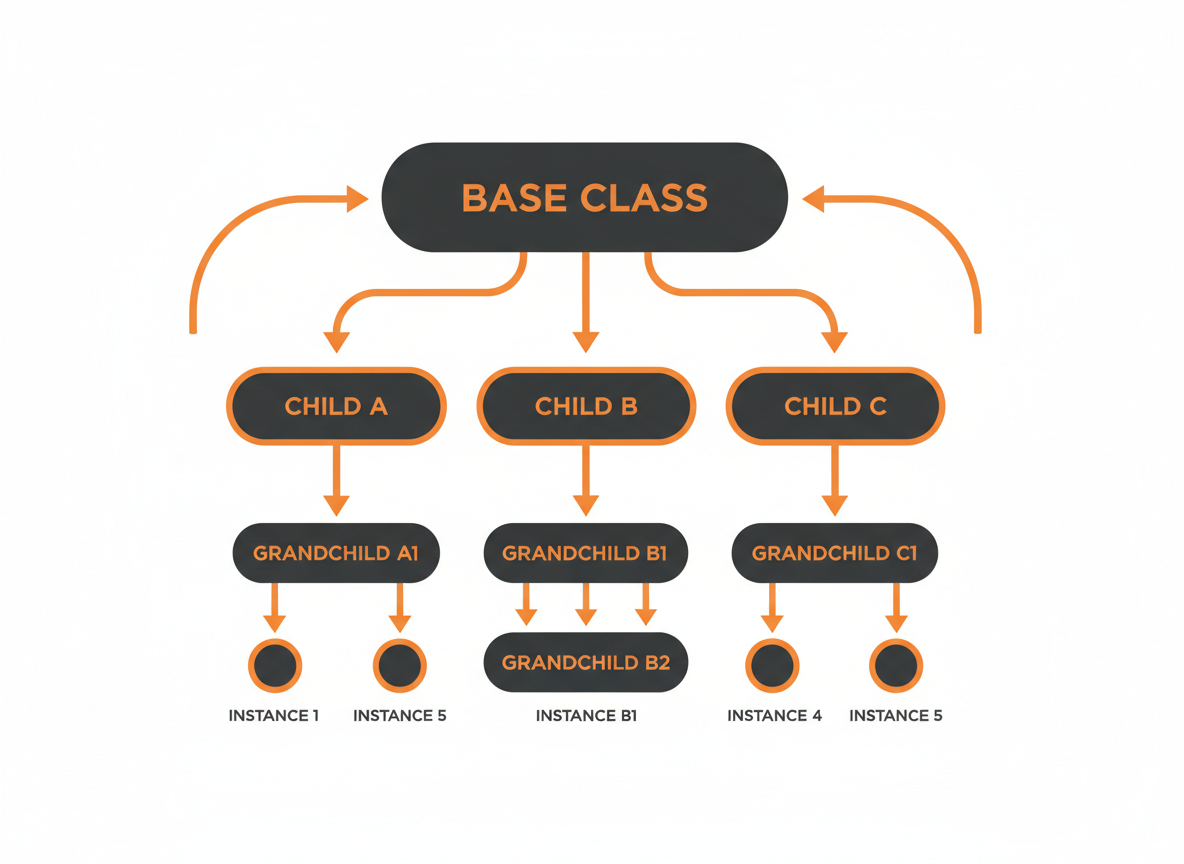
Classes often share common characteristics. Dogs, cats, and birds are all animals. Cars, motorcycles, and trucks are all vehicles. Inheritance lets you define what’s common in a parent class and have child classes inherit those features while adding their own.
This avoids duplicating code across similar classes and creates logical hierarchies that mirror how we think about the world.
The extends Keyword
A class inherits from another using the extends keyword.
public class Animal {
    String name;
    int age;

    void eat() {
        System.out.println(name + " is eating");
    }

    void sleep() {
        System.out.println(name + " is sleeping");
    }
}

public class Dog extends Animal {
    String breed;

    void bark() {
        System.out.println(name + " says woof!");
    }
}
Dog extends Animal. This means Dog inherits all of Animal’s fields (name, age) and methods (eat, sleep). Dog also adds its own field (breed) and method (bark).
Dog myDog = new Dog();
myDog.name = "Buddy";    // Inherited from Animal
myDog.age = 3;           // Inherited from Animal
myDog.breed = "Labrador"; // Defined in Dog

myDog.eat();    // Inherited: "Buddy is eating"
myDog.sleep();  // Inherited: "Buddy is sleeping"
myDog.bark();   // Own method: "Buddy says woof!"
Terminology
Several terms describe the inheritance relationship:
Parent class / Superclass / Base class: The class being inherited from (Animal).
Child class / Subclass / Derived class: The class that inherits (Dog).
These terms are interchangeable. “Parent” and “child” are intuitive. “Super” and “sub” appear in Java keywords.
The “is-a” Relationship
Inheritance models an “is-a” relationship. A Dog is an Animal. A Cat is an Animal. This should feel natural. If saying “X is a Y” sounds wrong, inheritance probably isn’t the right relationship.
A Dog is an Animal. Correct.
A Car is a Vehicle. Correct.
A Car is an Engine. Wrong. A car has an engine, but it isn’t an engine. That’s composition, not inheritance.
Building a Hierarchy
Multiple classes can extend the same parent:
public class Animal {
    String name;

    void eat() {
        System.out.println(name + " is eating");
    }
}

public class Dog extends Animal {
    void bark() {
        System.out.println(name + " barks");
    }
}

public class Cat extends Animal {
    void meow() {
        System.out.println(name + " meows");
    }
}

public class Bird extends Animal {
    void fly() {
        System.out.println(name + " is flying");
    }
}
All three share name and eat() from Animal. Each adds its own behavior.
Dog dog = new Dog();
dog.name = "Rex";
dog.eat();   // Rex is eating
dog.bark();  // Rex barks

Cat cat = new Cat();
cat.name = "Whiskers";
cat.eat();   // Whiskers is eating
cat.meow();  // Whiskers meows
Method Overriding
A child class can replace an inherited method with its own version. This is called overriding.
public class Animal {
    String name;

    void makeSound() {
        System.out.println(name + " makes a sound");
    }
}

public class Dog extends Animal {
    @Override
    void makeSound() {
        System.out.println(name + " barks");
    }
}

public class Cat extends Animal {
    @Override
    void makeSound() {
        System.out.println(name + " meows");
    }
}
The @Override annotation tells Java you intend to override a parent method. It’s optional but recommended. If you misspell the method name, the compiler catches your mistake.
Animal generic = new Animal();
generic.name = "Generic";
generic.makeSound();  // Generic makes a sound

Dog dog = new Dog();
dog.name = "Rex";
dog.makeSound();  // Rex barks

Cat cat = new Cat();
cat.name = "Whiskers";
cat.makeSound();  // Whiskers meows
Each class has its own version of makeSound(). The child versions override the parent version.
The super Keyword
The super keyword refers to the parent class. It has two main uses.
Calling Parent Methods
Sometimes you want to extend a parent method rather than replace it entirely.
public class Animal {
    void eat() {
        System.out.println("Finding food...");
        System.out.println("Eating...");
    }
}

public class Dog extends Animal {
    @Override
    void eat() {
        super.eat();  // Call Animal's eat() first
        System.out.println("Wagging tail happily");
    }
}
Dog dog = new Dog();
dog.eat();Output:
Finding food...
Eating...
Wagging tail happily
The super.eat() call runs the parent’s version, then Dog adds its own behavior.
Calling Parent Constructors
Child class constructors often need to call parent class constructors to initialize inherited fields.
public class Animal {
    String name;
    int age;

    public Animal(String name, int age) {
        this.name = name;
        this.age = age;
    }
}

public class Dog extends Animal {
    String breed;

    public Dog(String name, int age, String breed) {
        super(name, age);  // Call Animal's constructor
        this.breed = breed;
    }
}
The super() call must be the first statement in the constructor. It passes values to the parent constructor.
Dog dog = new Dog("Buddy", 3, "Labrador");
System.out.println(dog.name);   // Buddy
System.out.println(dog.age);    // 3
System.out.println(dog.breed);  // Labrador
If the parent has a no-argument constructor, Java calls it automatically. If the parent only has parameterized constructors, you must call super() explicitly.
What Gets Inherited
Child classes inherit:
- Public and protected fields
- Public and protected methods
Child classes do not inherit:
- Private fields and methods (they exist but aren’t accessible)
- Constructors (but you can call them with super())
public class Parent {
    public String publicField = "public";
    private String privateField = "private";

    public void publicMethod() {
        System.out.println("Public method");
    }

    private void privateMethod() {
        System.out.println("Private method");
    }
}

public class Child extends Parent {
    void test() {
        System.out.println(publicField);   // Works
        // System.out.println(privateField);  // Error: not accessible

        publicMethod();   // Works
        // privateMethod();  // Error: not accessible
    }
}
The Object Class
Every class in Java ultimately inherits from the Object class. If a class doesn’t explicitly extend another, it implicitly extends Object.
public class MyClass {
    // Implicitly extends Object
}
This is why every object has methods like toString(), equals(), and hashCode(). They’re inherited from Object.
MyClass obj = new MyClass();
System.out.println(obj.toString());  // Works - inherited from Object
Single Inheritance
Java allows only single inheritance. A class can extend exactly one other class.
// This is allowed
public class Dog extends Animal {
}

// This is NOT allowed
public class Hybrid extends Dog, Cat {  // Error!
}
This avoids complexity from conflicting inherited features. If you need a class to have multiple capabilities, use interfaces (covered in a later tutorial).
The final Keyword
The final keyword prevents inheritance or overriding.
A final class cannot be extended:
public final class SecureClass {
    // No class can extend this
}

// Error: cannot extend final class
public class Attempt extends SecureClass {
}
A final method cannot be overridden:
public class Parent {
    public final void importantMethod() {
        System.out.println("This cannot be changed");
    }
}

public class Child extends Parent {
    // Error: cannot override final method
    @Override
    public void importantMethod() {
    }
}
Use final when a class or method shouldn’t be modified by subclasses.
Practical Example: Employee Hierarchy
public class Employee {
    String name;
    double baseSalary;

    public Employee(String name, double baseSalary) {
        this.name = name;
        this.baseSalary = baseSalary;
    }

    public double calculatePay() {
        return baseSalary;
    }

    public void displayInfo() {
        System.out.println("Name: " + name);
        System.out.println("Base Salary: $" + baseSalary);
        System.out.println("Total Pay: $" + calculatePay());
    }
}

public class Manager extends Employee {
    double bonus;

    public Manager(String name, double baseSalary, double bonus) {
        super(name, baseSalary);
        this.bonus = bonus;
    }

    @Override
    public double calculatePay() {
        return baseSalary + bonus;
    }

    @Override
    public void displayInfo() {
        super.displayInfo();
        System.out.println("Bonus: $" + bonus);
    }
}

public class Developer extends Employee {
    int overtimeHours;
    double overtimeRate;

    public Developer(String name, double baseSalary, int overtimeHours, double overtimeRate) {
        super(name, baseSalary);
        this.overtimeHours = overtimeHours;
        this.overtimeRate = overtimeRate;
    }

    @Override
    public double calculatePay() {
        return baseSalary + (overtimeHours * overtimeRate);
    }

    @Override
    public void displayInfo() {
        super.displayInfo();
        System.out.println("Overtime: " + overtimeHours + " hours @ $" + overtimeRate);
    }
}
Using the hierarchy:
public class Main {
    public static void main(String[] args) {
        Employee emp = new Employee("Alice", 50000);
        Manager mgr = new Manager("Bob", 70000, 15000);
        Developer dev = new Developer("Charlie", 60000, 20, 50);

        System.out.println("=== Employee ===");
        emp.displayInfo();

        System.out.println("\n=== Manager ===");
        mgr.displayInfo();

        System.out.println("\n=== Developer ===");
        dev.displayInfo();
    }
}
Output:
=== Employee ===
Name: Alice
Base Salary: $50000.0
Total Pay: $50000.0

=== Manager ===
Name: Bob
Base Salary: $70000.0
Total Pay: $85000.0
Bonus: $15000.0

=== Developer ===
Name: Charlie
Base Salary: $60000.0
Total Pay: $61000.0
Overtime: 20 hours @ $50.0
Common Mistakes
Forgetting super() in constructor. If the parent has no default constructor, you must call super() with arguments.
Overriding with wrong signature. The method signature must match exactly. Use @Override to catch mistakes.
Overusing inheritance. Inheritance creates tight coupling. Don’t use it just to share a few methods. Sometimes composition (having an object as a field) is better.
Breaking the “is-a” relationship. If “Child is a Parent” doesn’t make sense, don’t use inheritance.
What’s Next
Inheritance lets child classes replace parent methods. Polymorphism takes this further, letting you treat different object types uniformly through a common parent type. The next tutorial explores how polymorphism enables flexible, extensible code.
Related: Java Constructors | Java Polymorphism
Sources
- Oracle. “Inheritance.” The Java Tutorials. docs.oracle.com
- Oracle. “Overriding and Hiding Methods.” The Java Tutorials. docs.oracle.com