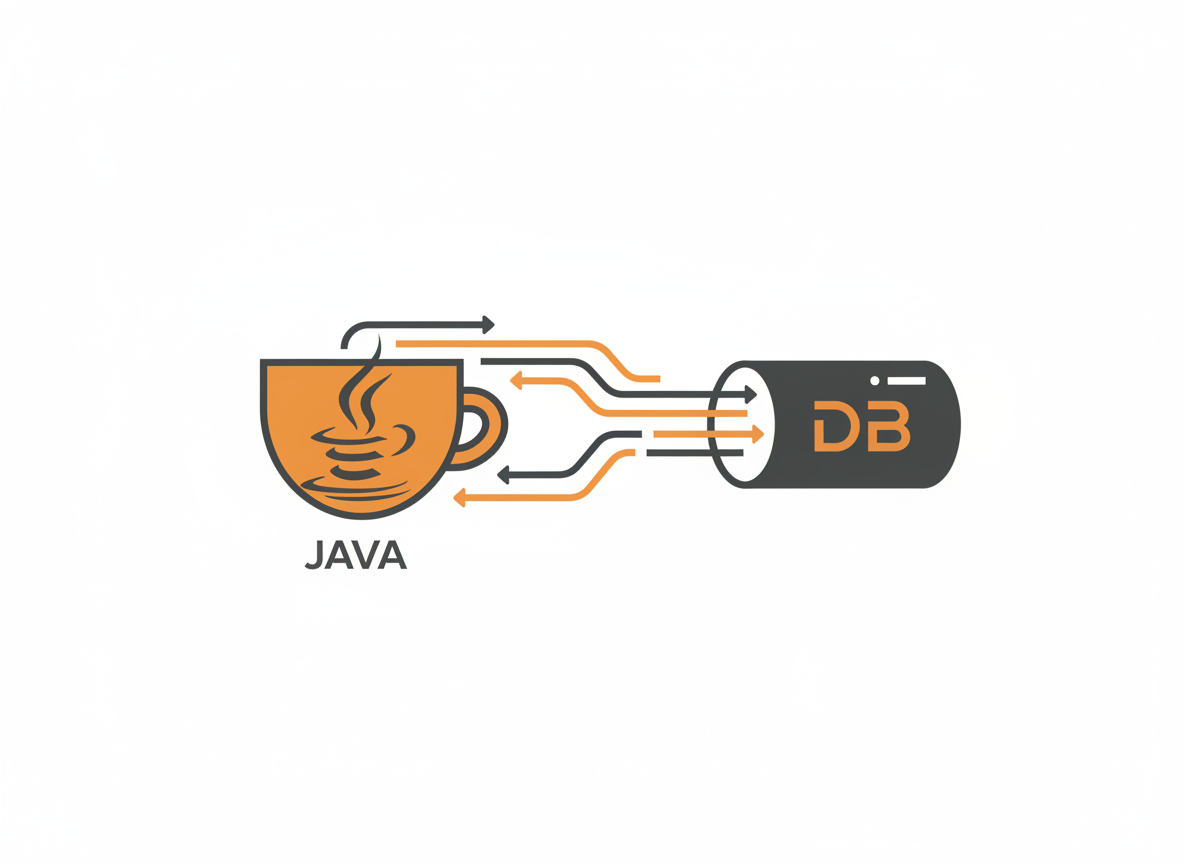
Most applications need to store data somewhere persistent. User accounts, orders, blog posts, game saves. Databases handle this, and JDBC is how Java talks to them.
JDBC stands for Java Database Connectivity. It’s an API that lets you connect to relational databases, execute SQL queries, and process results. Whether you’re using MySQL, PostgreSQL, Oracle, SQLite, or any other relational database, JDBC provides a consistent interface.
This tutorial covers the fundamentals: connecting to a database, running queries, handling results, and avoiding common mistakes.
How JDBC Works
JDBC sits between your Java code and the database. You write standard JDBC calls, and a database-specific driver translates them into the protocol your database understands.
The main components:
DriverManager: Manages database drivers and establishes connections.
Connection: Represents an active connection to a database. You use it to create statements and manage transactions.
Statement / PreparedStatement: Executes SQL commands. PreparedStatement is the safer, faster option for most cases.
ResultSet: Holds the data returned from a SELECT query. You iterate through it row by row.
// The basic flow
Connection conn = DriverManager.getConnection(url, user, password);
PreparedStatement stmt = conn.prepareStatement("SELECT * FROM users");
ResultSet rs = stmt.executeQuery();

while (rs.next()) {
    String name = rs.getString("name");
    // Process each row
}

rs.close();
stmt.close();
conn.close();
Setting Up
You need two things: a database and its JDBC driver.
For learning, H2 is the easiest choice. It’s a lightweight Java database that runs in-memory or as a file. No installation required. Just add the dependency.
If you’re using Maven, add this to your pom.xml:
<dependency>
    <groupId>com.h2database</groupId>
    <artifactId>h2</artifactId>
    <version>2.2.224</version>
</dependency>
Without Maven, download the H2 JAR from h2database.com and add it to your classpath.
For MySQL, the dependency is:
<dependency>
    <groupId>com.mysql</groupId>
    <artifactId>mysql-connector-j</artifactId>
    <version>8.2.0</version>
</dependency>
PostgreSQL:
<dependency>
    <groupId>org.postgresql</groupId>
    <artifactId>postgresql</artifactId>
    <version>42.7.1</version>
</dependency>
Connecting to a Database
Each database has a specific connection URL format:
// H2 in-memory database
String h2Url = "jdbc:h2:mem:testdb";

// H2 file-based database
String h2FileUrl = "jdbc:h2:./data/mydb";

// MySQL
String mysqlUrl = "jdbc:mysql://localhost:3306/mydb";

// PostgreSQL
String postgresUrl = "jdbc:postgresql://localhost:5432/mydb";
To establish a connection:
import java.sql.Connection;
import java.sql.DriverManager;
import java.sql.SQLException;

public class ConnectionDemo {
    public static void main(String[] args) {
        String url = "jdbc:h2:mem:testdb";
        String user = "sa";
        String password = "";

        try {
            Connection conn = DriverManager.getConnection(url, user, password);
            System.out.println("Connected successfully!");
            System.out.println("Database: " + conn.getMetaData().getDatabaseProductName());
            conn.close();
        } catch (SQLException e) {
            System.out.println("Connection failed: " + e.getMessage());
        }
    }
}
Modern JDBC drivers register themselves automatically. You don’t need the old Class.forName("com.mysql.jdbc.Driver") call anymore, though you’ll still see it in older tutorials.
Creating Tables
Use Statement or PreparedStatement to execute DDL (Data Definition Language) commands:
import java.sql.*;

public class CreateTableDemo {
    public static void main(String[] args) {
        String url = "jdbc:h2:mem:testdb";

        String createTableSQL = """
            CREATE TABLE users (
                id INT PRIMARY KEY AUTO_INCREMENT,
                name VARCHAR(100) NOT NULL,
                email VARCHAR(100) UNIQUE,
                created_at TIMESTAMP DEFAULT CURRENT_TIMESTAMP
            )
            """;

        try (Connection conn = DriverManager.getConnection(url, "sa", "");
             Statement stmt = conn.createStatement()) {

            stmt.execute(createTableSQL);
            System.out.println("Table created successfully");

        } catch (SQLException e) {
            e.printStackTrace();
        }
    }
}
Notice the try-with-resources syntax. Connection, Statement, and ResultSet all implement AutoCloseable. The try-with-resources block automatically closes them when done, even if an exception occurs. Always use this pattern.
Inserting Data
For inserting data, use PreparedStatement. It’s safer and faster than Statement.
public class InsertDemo {
    public static void main(String[] args) {
        String url = "jdbc:h2:mem:testdb";

        try (Connection conn = DriverManager.getConnection(url, "sa", "")) {
            // Create table first
            try (Statement stmt = conn.createStatement()) {
                stmt.execute("""
                    CREATE TABLE users (
                        id INT PRIMARY KEY AUTO_INCREMENT,
                        name VARCHAR(100),
                        email VARCHAR(100)
                    )
                    """);
            }

            // Insert with PreparedStatement
            String insertSQL = "INSERT INTO users (name, email) VALUES (?, ?)";

            try (PreparedStatement pstmt = conn.prepareStatement(insertSQL)) {
                // First user
                pstmt.setString(1, "Alice");
                pstmt.setString(2, "alice@example.com");
                pstmt.executeUpdate();

                // Second user
                pstmt.setString(1, "Bob");
                pstmt.setString(2, "bob@example.com");
                pstmt.executeUpdate();

                System.out.println("Users inserted successfully");
            }

        } catch (SQLException e) {
            e.printStackTrace();
        }
    }
}
The question marks are placeholders. You fill them with setString(), setInt(), setDouble(), and similar methods. The first parameter is the placeholder index (starting at 1, not 0).
Getting Generated Keys
When inserting rows with auto-generated IDs, you often need to retrieve the new ID:
String insertSQL = "INSERT INTO users (name, email) VALUES (?, ?)";

try (PreparedStatement pstmt = conn.prepareStatement(insertSQL,
        Statement.RETURN_GENERATED_KEYS)) {

    pstmt.setString(1, "Charlie");
    pstmt.setString(2, "charlie@example.com");
    pstmt.executeUpdate();

    try (ResultSet generatedKeys = pstmt.getGeneratedKeys()) {
        if (generatedKeys.next()) {
            long newId = generatedKeys.getLong(1);
            System.out.println("Inserted user with ID: " + newId);
        }
    }
}
Querying Data
Use executeQuery() for SELECT statements. It returns a ResultSet.
public class QueryDemo {
    public static void main(String[] args) {
        String url = "jdbc:h2:mem:testdb";

        try (Connection conn = DriverManager.getConnection(url, "sa", "")) {
            // Setup: create and populate table
            setupDatabase(conn);

            // Query all users
            String selectSQL = "SELECT id, name, email FROM users";

            try (Statement stmt = conn.createStatement();
                 ResultSet rs = stmt.executeQuery(selectSQL)) {

                while (rs.next()) {
                    int id = rs.getInt("id");
                    String name = rs.getString("name");
                    String email = rs.getString("email");

                    System.out.println(id + ": " + name + " (" + email + ")");
                }
            }

        } catch (SQLException e) {
            e.printStackTrace();
        }
    }

    private static void setupDatabase(Connection conn) throws SQLException {
        try (Statement stmt = conn.createStatement()) {
            stmt.execute("CREATE TABLE users (id INT PRIMARY KEY AUTO_INCREMENT, name VARCHAR(100), email VARCHAR(100))");
            stmt.execute("INSERT INTO users (name, email) VALUES ('Alice', 'alice@example.com')");
            stmt.execute("INSERT INTO users (name, email) VALUES ('Bob', 'bob@example.com')");
            stmt.execute("INSERT INTO users (name, email) VALUES ('Charlie', 'charlie@example.com')");
        }
    }
}
ResultSet starts positioned before the first row. Each call to next() moves to the next row and returns true if a row exists, false when you’ve passed the last row.
Querying with Parameters
Use PreparedStatement when your query includes user input or variable values:
String email = "alice@example.com";
String selectSQL = "SELECT id, name FROM users WHERE email = ?";

try (PreparedStatement pstmt = conn.prepareStatement(selectSQL)) {
    pstmt.setString(1, email);

    try (ResultSet rs = pstmt.executeQuery()) {
        if (rs.next()) {
            System.out.println("Found: " + rs.getString("name"));
        } else {
            System.out.println("User not found");
        }
    }
}
Updating and Deleting Data
Use executeUpdate() for INSERT, UPDATE, and DELETE statements. It returns the number of affected rows.
// Update
String updateSQL = "UPDATE users SET email = ? WHERE name = ?";

try (PreparedStatement pstmt = conn.prepareStatement(updateSQL)) {
    pstmt.setString(1, "newemail@example.com");
    pstmt.setString(2, "Alice");

    int rowsUpdated = pstmt.executeUpdate();
    System.out.println("Rows updated: " + rowsUpdated);
}

// Delete
String deleteSQL = "DELETE FROM users WHERE name = ?";

try (PreparedStatement pstmt = conn.prepareStatement(deleteSQL)) {
    pstmt.setString(1, "Bob");

    int rowsDeleted = pstmt.executeUpdate();
    System.out.println("Rows deleted: " + rowsDeleted);
}
SQL Injection and Why PreparedStatement Matters
Never build SQL queries by concatenating strings with user input. This opens your application to SQL injection attacks.
// DANGEROUS - Never do this!
String userInput = "'; DROP TABLE users; --";
String badQuery = "SELECT * FROM users WHERE name = '" + userInput + "'";

// This becomes:
// SELECT * FROM users WHERE name = ''; DROP TABLE users; --'
// Your table is now gone.
PreparedStatement prevents this by separating SQL structure from data. The database treats parameter values as data, never as SQL commands:
// SAFE - Always do this
String userInput = "'; DROP TABLE users; --";
String safeQuery = "SELECT * FROM users WHERE name = ?";

PreparedStatement pstmt = conn.prepareStatement(safeQuery);
pstmt.setString(1, userInput);  // Treated as literal string data

// Database looks for a user literally named "'; DROP TABLE users; --"
// No injection possible
This isn’t optional. SQL injection consistently ranks among the most common and damaging security vulnerabilities. Use PreparedStatement for every query that includes external data.
Transactions
By default, JDBC runs in auto-commit mode. Each statement is a separate transaction, committed immediately. For operations that must succeed or fail together, disable auto-commit and manage transactions manually.
public class TransactionDemo {
    public static void transferMoney(Connection conn, int fromAccount,
            int toAccount, double amount) throws SQLException {

        conn.setAutoCommit(false);  // Start transaction

        try {
            // Withdraw from source account
            String withdrawSQL = "UPDATE accounts SET balance = balance - ? WHERE id = ?";
            try (PreparedStatement pstmt = conn.prepareStatement(withdrawSQL)) {
                pstmt.setDouble(1, amount);
                pstmt.setInt(2, fromAccount);
                pstmt.executeUpdate();
            }

            // Deposit to destination account
            String depositSQL = "UPDATE accounts SET balance = balance + ? WHERE id = ?";
            try (PreparedStatement pstmt = conn.prepareStatement(depositSQL)) {
                pstmt.setDouble(1, amount);
                pstmt.setInt(2, toAccount);
                pstmt.executeUpdate();
            }

            conn.commit();  // Both succeeded, make permanent
            System.out.println("Transfer completed");

        } catch (SQLException e) {
            conn.rollback();  // Something failed, undo everything
            System.out.println("Transfer failed, rolled back");
            throw e;
        } finally {
            conn.setAutoCommit(true);  // Restore default behavior
        }
    }
}
If the deposit fails after the withdrawal succeeds, rollback() undoes the withdrawal. The money doesn’t vanish. Both operations succeed together or fail together.
Batch Operations
Inserting many rows one at a time is slow. Each statement requires a round trip to the database. Batch operations send multiple statements at once.
String insertSQL = "INSERT INTO users (name, email) VALUES (?, ?)";

try (PreparedStatement pstmt = conn.prepareStatement(insertSQL)) {

    String[][] users = {
        {"Alice", "alice@example.com"},
        {"Bob", "bob@example.com"},
        {"Charlie", "charlie@example.com"},
        {"Diana", "diana@example.com"},
        {"Eve", "eve@example.com"}
    };

    for (String[] user : users) {
        pstmt.setString(1, user[0]);
        pstmt.setString(2, user[1]);
        pstmt.addBatch();
    }

    int[] results = pstmt.executeBatch();
    System.out.println("Inserted " + results.length + " users");
}
For large batches, combine with transactions. Commit every few thousand rows to avoid memory issues:
conn.setAutoCommit(false);

int batchSize = 1000;
int count = 0;

for (User user : largeUserList) {
    pstmt.setString(1, user.getName());
    pstmt.setString(2, user.getEmail());
    pstmt.addBatch();

    if (++count % batchSize == 0) {
        pstmt.executeBatch();
        conn.commit();
    }
}

pstmt.executeBatch();  // Remaining rows
conn.commit();
conn.setAutoCommit(true);
Handling NULL Values
Database NULL and Java null need special handling:
// Writing NULL
pstmt.setNull(1, Types.VARCHAR);

// Or for optional values
String middleName = user.getMiddleName();  // Might be null
if (middleName != null) {
    pstmt.setString(2, middleName);
} else {
    pstmt.setNull(2, Types.VARCHAR);
}

// Reading NULL
ResultSet rs = stmt.executeQuery("SELECT age FROM users WHERE id = 1");
if (rs.next()) {
    int age = rs.getInt("age");
    if (rs.wasNull()) {
        System.out.println("Age is not set");
    } else {
        System.out.println("Age: " + age);
    }
}
For primitive types, getInt() and similar methods return 0 for NULL. Call wasNull() immediately after to check if the value was actually NULL or really zero.
Connection Pooling
Creating database connections is expensive. For web applications handling many requests, you don’t want to create and destroy connections constantly.
Connection pools maintain a set of open connections. Your code borrows a connection, uses it, and returns it to the pool. The connection stays open for the next request.
HikariCP is the most popular connection pool for Java:
import com.zaxxer.hikari.HikariConfig;
import com.zaxxer.hikari.HikariDataSource;

public class ConnectionPoolDemo {
    private static HikariDataSource dataSource;

    static {
        HikariConfig config = new HikariConfig();
        config.setJdbcUrl("jdbc:mysql://localhost:3306/mydb");
        config.setUsername("user");
        config.setPassword("password");
        config.setMaximumPoolSize(10);

        dataSource = new HikariDataSource(config);
    }

    public static Connection getConnection() throws SQLException {
        return dataSource.getConnection();
    }

    public static void main(String[] args) {
        try (Connection conn = getConnection()) {
            // Use connection
            // When closed, it returns to the pool instead of actually closing
        } catch (SQLException e) {
            e.printStackTrace();
        }
    }
}
In production, you’ll typically configure connection pooling through your framework (Spring Boot handles this automatically) rather than managing it directly.
A Complete Example
Here’s a simple DAO (Data Access Object) pattern that puts everything together:
import java.sql.*;
import java.util.ArrayList;
import java.util.List;

public class UserDao {
    private final String url;
    private final String user;
    private final String password;

    public UserDao(String url, String user, String password) {
        this.url = url;
        this.user = user;
        this.password = password;
    }

    public void createTable() throws SQLException {
        String sql = """
            CREATE TABLE IF NOT EXISTS users (
                id INT PRIMARY KEY AUTO_INCREMENT,
                name VARCHAR(100) NOT NULL,
                email VARCHAR(100) UNIQUE
            )
            """;

        try (Connection conn = getConnection();
             Statement stmt = conn.createStatement()) {
            stmt.execute(sql);
        }
    }

    public long insert(String name, String email) throws SQLException {
        String sql = "INSERT INTO users (name, email) VALUES (?, ?)";

        try (Connection conn = getConnection();
             PreparedStatement pstmt = conn.prepareStatement(sql,
                     Statement.RETURN_GENERATED_KEYS)) {

            pstmt.setString(1, name);
            pstmt.setString(2, email);
            pstmt.executeUpdate();

            try (ResultSet keys = pstmt.getGeneratedKeys()) {
                if (keys.next()) {
                    return keys.getLong(1);
                }
            }
        }
        return -1;
    }

    public List<String> findAllNames() throws SQLException {
        List<String> names = new ArrayList<>();
        String sql = "SELECT name FROM users ORDER BY name";

        try (Connection conn = getConnection();
             Statement stmt = conn.createStatement();
             ResultSet rs = stmt.executeQuery(sql)) {

            while (rs.next()) {
                names.add(rs.getString("name"));
            }
        }
        return names;
    }

    public boolean updateEmail(long id, String newEmail) throws SQLException {
        String sql = "UPDATE users SET email = ? WHERE id = ?";

        try (Connection conn = getConnection();
             PreparedStatement pstmt = conn.prepareStatement(sql)) {

            pstmt.setString(1, newEmail);
            pstmt.setLong(2, id);
            return pstmt.executeUpdate() > 0;
        }
    }

    public boolean delete(long id) throws SQLException {
        String sql = "DELETE FROM users WHERE id = ?";

        try (Connection conn = getConnection();
             PreparedStatement pstmt = conn.prepareStatement(sql)) {

            pstmt.setLong(1, id);
            return pstmt.executeUpdate() > 0;
        }
    }

    private Connection getConnection() throws SQLException {
        return DriverManager.getConnection(url, user, password);
    }
}

// Usage
public class Main {
    public static void main(String[] args) throws SQLException {
        UserDao dao = new UserDao("jdbc:h2:mem:testdb", "sa", "");

        dao.createTable();

        long aliceId = dao.insert("Alice", "alice@example.com");
        long bobId = dao.insert("Bob", "bob@example.com");

        System.out.println("All users: " + dao.findAllNames());

        dao.updateEmail(aliceId, "alice.new@example.com");
        dao.delete(bobId);

        System.out.println("After changes: " + dao.findAllNames());
    }
}
Next Steps
Raw JDBC works but requires a lot of repetitive code. Most Java applications use higher-level tools:
Spring JDBC Template reduces boilerplate while keeping you close to SQL.
JPA / Hibernate maps Java objects to database tables automatically. You work with objects, not SQL.
jOOQ generates type-safe SQL from your database schema.
Understanding JDBC fundamentals helps you use these tools effectively. When something goes wrong, you’ll know what’s happening underneath.
Previous: Java Multithreading Basics
Related: Java Exception Handling | Reading and Writing Files in Java | Java Collections Framework Overview
Sources
- Oracle. “JDBC Basics.” docs.oracle.com/javase/tutorial/jdbc/basics
- Oracle. “java.sql Package.” docs.oracle.com/javase/21/docs/api/java.sql/java/sql/package-summary.html
- H2 Database. “H2 Documentation.” h2database.com
- HikariCP. “HikariCP Configuration.” github.com/brettwooldridge/HikariCP