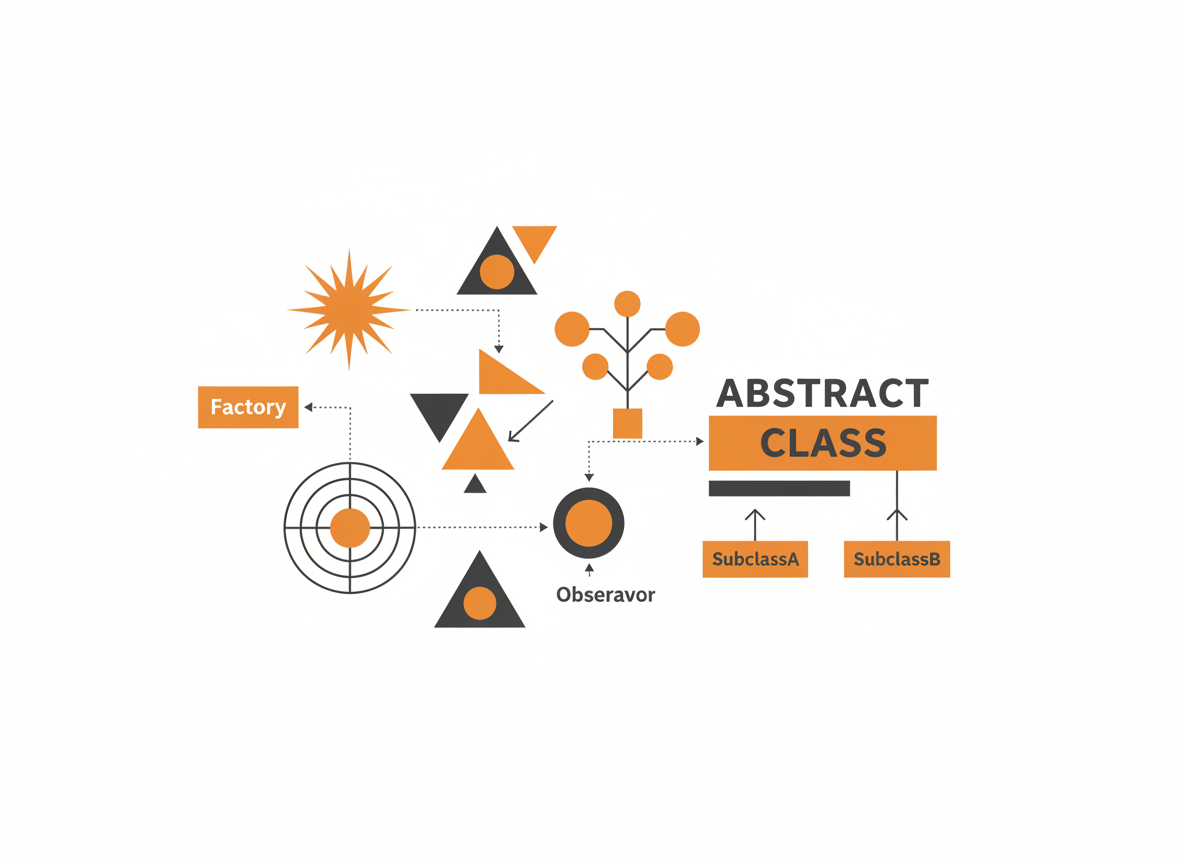
Design patterns are reusable solutions to common programming problems. They’re not code you copy and paste, but templates for structuring your classes and objects. Learning patterns helps you recognize problems faster and communicate solutions clearly with other developers.
This guide covers the patterns you’ll encounter most often in Java applications, with practical examples showing when and how to use each one.
Why Patterns Matter
Patterns provide a shared vocabulary. When you say “that’s a Singleton” or “we need a Factory here,” experienced developers immediately understand the structure you’re proposing. This speeds up design discussions and code reviews.
Patterns also encode decades of collective experience. The Gang of Four (GoF) documented 23 patterns in 1994, and they remain relevant because the problems they solve keep appearing in new projects.
Pattern Categories
The classic patterns fall into three groups:
- Creational: How objects are created (Singleton, Factory, Builder)
- Structural: How objects are composed (Adapter, Decorator, Facade)
- Behavioral: How objects interact (Strategy, Observer, Template Method)
Creational Patterns
Singleton
Ensures only one instance of a class exists throughout the application.
When to use: Configuration managers, connection pools, logging services, caches.
public class DatabaseConnection {
    private static volatile DatabaseConnection instance;
    private Connection connection;

    private DatabaseConnection() {
        // Private constructor prevents direct instantiation
        this.connection = createConnection();
    }

    public static DatabaseConnection getInstance() {
        if (instance == null) {
            synchronized (DatabaseConnection.class) {
                if (instance == null) {
                    instance = new DatabaseConnection();
                }
            }
        }
        return instance;
    }

    public Connection getConnection() {
        return connection;
    }

    private Connection createConnection() {
        // Create database connection
        return null;
    }
}

// Usage
DatabaseConnection db = DatabaseConnection.getInstance();
Connection conn = db.getConnection();
The double-checked locking with volatile ensures thread safety without synchronizing every access.
Modern alternative: Use an enum for simpler, thread-safe singletons:
public enum AppConfig {
    INSTANCE;

    private String apiUrl;
    private int timeout;

    AppConfig() {
        // Load configuration
        this.apiUrl = "https://api.example.com";
        this.timeout = 30;
    }

    public String getApiUrl() { return apiUrl; }
    public int getTimeout() { return timeout; }
}

// Usage
String url = AppConfig.INSTANCE.getApiUrl();
Factory Method
Defines an interface for creating objects but lets subclasses decide which class to instantiate.
When to use: When the exact type of object depends on input or configuration.
// Product interface
public interface Notification {
    void send(String message);
}

// Concrete products
public class EmailNotification implements Notification {
    @Override
    public void send(String message) {
        System.out.println("Sending email: " + message);
    }
}

public class SmsNotification implements Notification {
    @Override
    public void send(String message) {
        System.out.println("Sending SMS: " + message);
    }
}

public class PushNotification implements Notification {
    @Override
    public void send(String message) {
        System.out.println("Sending push: " + message);
    }
}

// Factory
public class NotificationFactory {
    public static Notification createNotification(String type) {
        switch (type.toLowerCase()) {
            case "email":
                return new EmailNotification();
            case "sms":
                return new SmsNotification();
            case "push":
                return new PushNotification();
            default:
                throw new IllegalArgumentException("Unknown type: " + type);
        }
    }
}

// Usage
Notification notification = NotificationFactory.createNotification("email");
notification.send("Hello!");
The client code doesn’t need to know concrete classes. It works with the Notification interface and lets the factory handle instantiation.
Builder
Separates the construction of a complex object from its representation.
When to use: Objects with many optional parameters, immutable objects that need step-by-step construction.
public class HttpRequest {
    private final String url;
    private final String method;
    private final Map<String, String> headers;
    private final String body;
    private final int timeout;

    private HttpRequest(Builder builder) {
        this.url = builder.url;
        this.method = builder.method;
        this.headers = builder.headers;
        this.body = builder.body;
        this.timeout = builder.timeout;
    }

    public static class Builder {
        private final String url;  // Required
        private String method = "GET";
        private Map<String, String> headers = new HashMap<>();
        private String body = null;
        private int timeout = 30;

        public Builder(String url) {
            this.url = url;
        }

        public Builder method(String method) {
            this.method = method;
            return this;
        }

        public Builder header(String key, String value) {
            this.headers.put(key, value);
            return this;
        }

        public Builder body(String body) {
            this.body = body;
            return this;
        }

        public Builder timeout(int timeout) {
            this.timeout = timeout;
            return this;
        }

        public HttpRequest build() {
            return new HttpRequest(this);
        }
    }

    // Getters
    public String getUrl() { return url; }
    public String getMethod() { return method; }
    public Map<String, String> getHeaders() { return headers; }
    public String getBody() { return body; }
    public int getTimeout() { return timeout; }
}

// Usage - fluent API
HttpRequest request = new HttpRequest.Builder("https://api.example.com/users")
    .method("POST")
    .header("Content-Type", "application/json")
    .header("Authorization", "Bearer token123")
    .body("{\"name\": \"Alice\"}")
    .timeout(60)
    .build();
The builder pattern makes object construction readable and allows for immutable objects with many optional fields.
Structural Patterns
Adapter
Converts the interface of a class into another interface that clients expect.
When to use: Integrating legacy code, third-party libraries, or incompatible interfaces.
// Existing interface your code expects
public interface MediaPlayer {
    void play(String filename);
}

// Third-party library with different interface
public class AdvancedMediaLibrary {
    public void playMp4(String filename) {
        System.out.println("Playing MP4: " + filename);
    }

    public void playVlc(String filename) {
        System.out.println("Playing VLC: " + filename);
    }
}

// Adapter makes the library work with your interface
public class MediaAdapter implements MediaPlayer {
    private AdvancedMediaLibrary advancedPlayer;

    public MediaAdapter() {
        this.advancedPlayer = new AdvancedMediaLibrary();
    }

    @Override
    public void play(String filename) {
        if (filename.endsWith(".mp4")) {
            advancedPlayer.playMp4(filename);
        } else if (filename.endsWith(".vlc")) {
            advancedPlayer.playVlc(filename);
        } else {
            System.out.println("Unsupported format");
        }
    }
}

// Usage - client code works with MediaPlayer interface
MediaPlayer player = new MediaAdapter();
player.play("movie.mp4");
Decorator
Adds behavior to objects dynamically without affecting other objects of the same class.
When to use: Adding features to objects at runtime, when subclassing would create too many combinations.
// Component interface
public interface Coffee {
    String getDescription();
    double getCost();
}

// Base implementation
public class SimpleCoffee implements Coffee {
    @Override
    public String getDescription() {
        return "Coffee";
    }

    @Override
    public double getCost() {
        return 2.00;
    }
}

// Decorator base class
public abstract class CoffeeDecorator implements Coffee {
    protected Coffee coffee;

    public CoffeeDecorator(Coffee coffee) {
        this.coffee = coffee;
    }
}

// Concrete decorators
public class MilkDecorator extends CoffeeDecorator {
    public MilkDecorator(Coffee coffee) {
        super(coffee);
    }

    @Override
    public String getDescription() {
        return coffee.getDescription() + ", Milk";
    }

    @Override
    public double getCost() {
        return coffee.getCost() + 0.50;
    }
}

public class SugarDecorator extends CoffeeDecorator {
    public SugarDecorator(Coffee coffee) {
        super(coffee);
    }

    @Override
    public String getDescription() {
        return coffee.getDescription() + ", Sugar";
    }

    @Override
    public double getCost() {
        return coffee.getCost() + 0.25;
    }
}

// Usage - decorators can be stacked
Coffee coffee = new SimpleCoffee();
coffee = new MilkDecorator(coffee);
coffee = new SugarDecorator(coffee);

System.out.println(coffee.getDescription());  // "Coffee, Milk, Sugar"
System.out.println(coffee.getCost());         // 2.75
Java’s I/O streams use this pattern extensively: BufferedReader decorates FileReader, which decorates a file stream.
Facade
Provides a simplified interface to a complex subsystem.
When to use: Hiding complexity, providing a clean API for a library or module.
// Complex subsystem classes
public class VideoDecoder {
    public void decode(String filename) {
        System.out.println("Decoding video: " + filename);
    }
}

public class AudioDecoder {
    public void decode(String filename) {
        System.out.println("Decoding audio: " + filename);
    }
}

public class VideoRenderer {
    public void render(String videoData) {
        System.out.println("Rendering video");
    }
}

public class AudioPlayer {
    public void play(String audioData) {
        System.out.println("Playing audio");
    }
}

// Facade provides simple interface
public class MediaPlayerFacade {
    private VideoDecoder videoDecoder;
    private AudioDecoder audioDecoder;
    private VideoRenderer videoRenderer;
    private AudioPlayer audioPlayer;

    public MediaPlayerFacade() {
        this.videoDecoder = new VideoDecoder();
        this.audioDecoder = new AudioDecoder();
        this.videoRenderer = new VideoRenderer();
        this.audioPlayer = new AudioPlayer();
    }

    public void playVideo(String filename) {
        videoDecoder.decode(filename);
        audioDecoder.decode(filename);
        videoRenderer.render("decoded video");
        audioPlayer.play("decoded audio");
    }
}

// Usage - client only knows the facade
MediaPlayerFacade player = new MediaPlayerFacade();
player.playVideo("movie.mp4");
Behavioral Patterns
Strategy
Defines a family of algorithms and makes them interchangeable.
When to use: Multiple ways to perform an operation, algorithm selection at runtime.
// Strategy interface
public interface PaymentStrategy {
    void pay(double amount);
}

// Concrete strategies
public class CreditCardPayment implements PaymentStrategy {
    private String cardNumber;

    public CreditCardPayment(String cardNumber) {
        this.cardNumber = cardNumber;
    }

    @Override
    public void pay(double amount) {
        System.out.println("Paid $" + amount + " with credit card " +
            cardNumber.substring(cardNumber.length() - 4));
    }
}

public class PayPalPayment implements PaymentStrategy {
    private String email;

    public PayPalPayment(String email) {
        this.email = email;
    }

    @Override
    public void pay(double amount) {
        System.out.println("Paid $" + amount + " via PayPal: " + email);
    }
}

public class CryptoPayment implements PaymentStrategy {
    private String walletAddress;

    public CryptoPayment(String walletAddress) {
        this.walletAddress = walletAddress;
    }

    @Override
    public void pay(double amount) {
        System.out.println("Paid $" + amount + " in crypto to " +
            walletAddress.substring(0, 8) + "...");
    }
}

// Context class
public class ShoppingCart {
    private List<Double> items = new ArrayList<>();
    private PaymentStrategy paymentStrategy;

    public void addItem(double price) {
        items.add(price);
    }

    public void setPaymentStrategy(PaymentStrategy strategy) {
        this.paymentStrategy = strategy;
    }

    public void checkout() {
        double total = items.stream().mapToDouble(Double::doubleValue).sum();
        paymentStrategy.pay(total);
    }
}

// Usage
ShoppingCart cart = new ShoppingCart();
cart.addItem(29.99);
cart.addItem(49.99);

cart.setPaymentStrategy(new CreditCardPayment("1234-5678-9012-3456"));
cart.checkout();  // Paid $79.98 with credit card 3456

cart.setPaymentStrategy(new PayPalPayment("user@example.com"));
cart.checkout();  // Paid $79.98 via PayPal: user@example.com
Observer
Defines a one-to-many dependency so that when one object changes state, all dependents are notified.
When to use: Event handling, notifications, keeping distributed data in sync.
// Observer interface
public interface StockObserver {
    void update(String stock, double price);
}

// Subject (Observable)
public class StockMarket {
    private Map<String, Double> stocks = new HashMap<>();
    private List<StockObserver> observers = new ArrayList<>();

    public void addObserver(StockObserver observer) {
        observers.add(observer);
    }

    public void removeObserver(StockObserver observer) {
        observers.remove(observer);
    }

    public void setStockPrice(String stock, double price) {
        stocks.put(stock, price);
        notifyObservers(stock, price);
    }

    private void notifyObservers(String stock, double price) {
        for (StockObserver observer : observers) {
            observer.update(stock, price);
        }
    }
}

// Concrete observers
public class StockDisplay implements StockObserver {
    private String name;

    public StockDisplay(String name) {
        this.name = name;
    }

    @Override
    public void update(String stock, double price) {
        System.out.println(name + " - " + stock + ": $" + price);
    }
}

public class PriceAlert implements StockObserver {
    private String targetStock;
    private double threshold;

    public PriceAlert(String stock, double threshold) {
        this.targetStock = stock;
        this.threshold = threshold;
    }

    @Override
    public void update(String stock, double price) {
        if (stock.equals(targetStock) && price > threshold) {
            System.out.println("ALERT: " + stock + " exceeded $" + threshold);
        }
    }
}

// Usage
StockMarket market = new StockMarket();
market.addObserver(new StockDisplay("Main Board"));
market.addObserver(new PriceAlert("AAPL", 150.00));

market.setStockPrice("AAPL", 155.00);
// Output:
// Main Board - AAPL: $155.0
// ALERT: AAPL exceeded $150.0
Template Method
Defines the skeleton of an algorithm, letting subclasses override specific steps.
When to use: When multiple classes share the same algorithm structure but differ in specific steps.
// Abstract class with template method
public abstract class DataProcessor {

    // Template method - defines the algorithm structure
    public final void process() {
        readData();
        processData();
        writeData();
    }

    protected abstract void readData();
    protected abstract void processData();

    // Hook method - optional override
    protected void writeData() {
        System.out.println("Writing to default output");
    }
}

// Concrete implementations
public class CsvProcessor extends DataProcessor {
    @Override
    protected void readData() {
        System.out.println("Reading CSV file");
    }

    @Override
    protected void processData() {
        System.out.println("Parsing CSV rows");
    }
}

public class JsonProcessor extends DataProcessor {
    @Override
    protected void readData() {
        System.out.println("Reading JSON file");
    }

    @Override
    protected void processData() {
        System.out.println("Parsing JSON objects");
    }

    @Override
    protected void writeData() {
        System.out.println("Writing to JSON output");
    }
}

// Usage
DataProcessor csvProcessor = new CsvProcessor();
csvProcessor.process();
// Reading CSV file
// Parsing CSV rows
// Writing to default output

DataProcessor jsonProcessor = new JsonProcessor();
jsonProcessor.process();
// Reading JSON file
// Parsing JSON objects
// Writing to JSON output
Patterns in the Java Standard Library
You’ve already used patterns without knowing it:
| Pattern | Java Example |
|---|---|
| Singleton | Runtime.getRuntime() |
| Factory | Calendar.getInstance(), NumberFormat.getInstance() |
| Builder | StringBuilder, Stream.Builder |
| Adapter | Arrays.asList(), InputStreamReader |
| Decorator | BufferedReader, Collections.synchronizedList() |
| Strategy | Comparator, LayoutManager |
| Observer | ActionListener, PropertyChangeListener |
| Iterator | Iterator interface, enhanced for loop |
| Template Method | HttpServlet.doGet(), AbstractList |
When Not to Use Patterns
Patterns solve specific problems. Using them unnecessarily adds complexity.
Don’t use patterns when:
- Simple code works fine
- You’re solving a problem the pattern wasn’t designed for
- The pattern adds more code than it saves
- You’re using a pattern just to use a pattern
Start simple. Refactor to patterns when the need becomes clear. Premature abstraction is as harmful as no abstraction.
Summary
Master these patterns and you’ll recognize them everywhere: in frameworks, libraries, and codebases you inherit. More importantly, you’ll know when and how to apply them yourself.
Start with the patterns you’ll use most: Builder for complex objects, Factory for flexible instantiation, Strategy for swappable algorithms, and Observer for event handling. Add others as you encounter problems they solve.
Prerequisites: Introduction to Object-Oriented Programming | Java Interfaces | Abstract Classes in Java
Related: Java Collections Framework | Introduction to Spring Boot
Sources
- Gamma, Erich, et al. “Design Patterns: Elements of Reusable Object-Oriented Software.” Addison-Wesley, 1994.
- Oracle. “Java Design Patterns.” docs.oracle.com/javase/tutorial